Buying a lead list feels easy until you open the file. Half the emails bounce. A third of the companies closed last year. And the "decision makers" left six months ago.
That's why more small teams scrape their own leads now. Not with Python scripts. With no-code web scrapers that pull public pages into a spreadsheet while you watch.
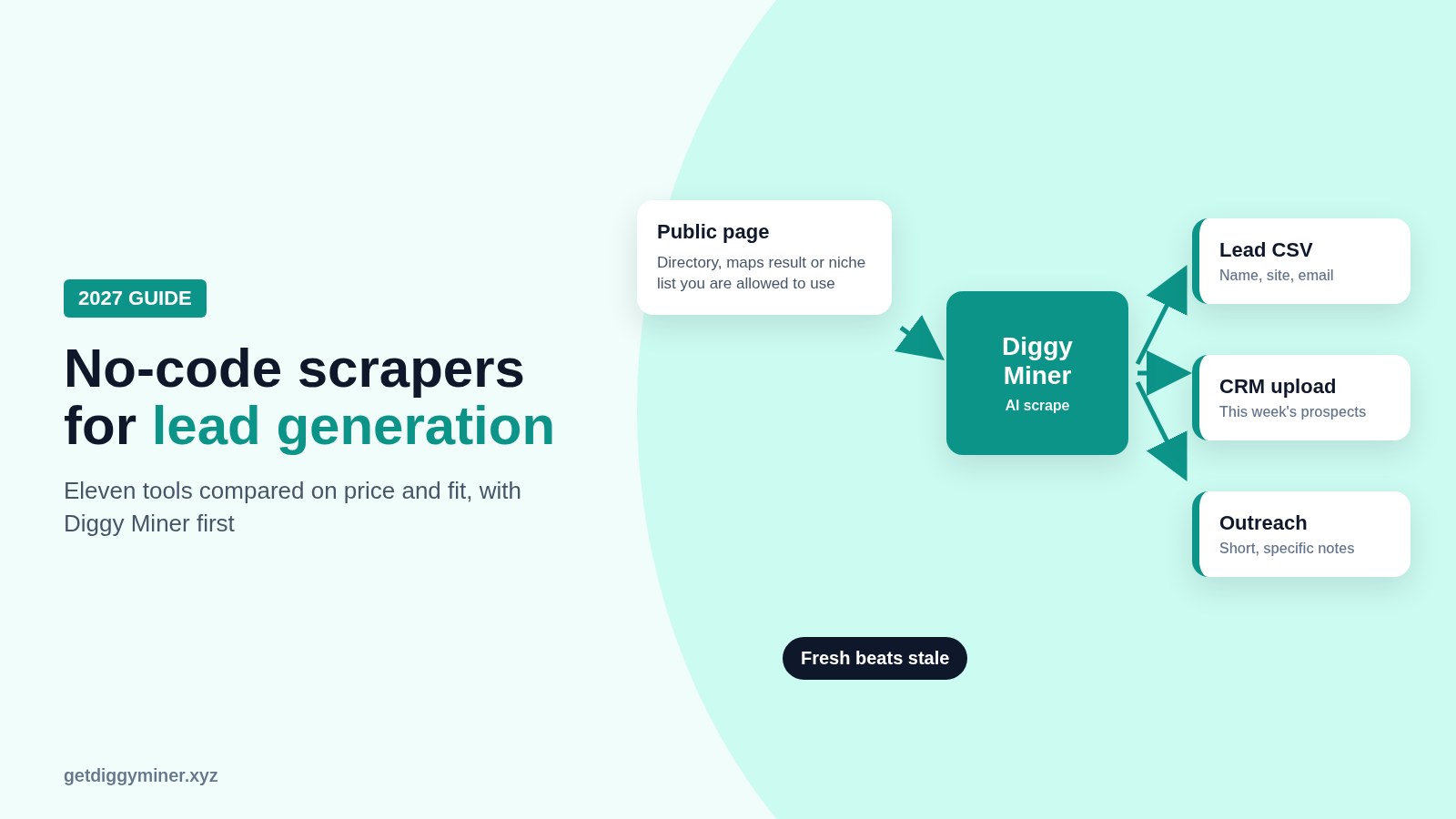
This post is a first-person roundup of eleven no-code and low-code scrapers I'd consider for lead generation in 2027. Full disclosure. Diggy Miner is our AI scraper at Teknikforce, and it's my first pick for browser-based lead pulls. I'll stick to features on the Diggy Miner sales page, and I'll also tell you when a competitor is the better tool.
We already covered beginner AI scrapers in Web Scraping AI, The Best AI-Powered Web Scrapers for Beginners, and the Diggy-specific walkthrough in How to Scrape Leads From Any Website Without Code. This one is narrower. It's about lead generation specifically, with current prices and a clear take on when scraping beats buying a list.
What a no-code scraper is good at for leads
A good no-code scraper helps you collect public business details from directories, niche lists, maps results, job boards or social profiles you're allowed to use. Typical fields look like
- Business name
- Website
- Public email or contact form URL
- Phone number when it's published
- City, category or niche tags
- Social profile links
What it should not do is ignore a site's terms, break into private data, or spam people the minute the CSV downloads. Public visibility is not the same as permission. Diggy Miner's own FAQ puts it plainly. Check the website's terms, privacy rules and applicable laws before you scrape, and only collect data you're authorized to use.
When to scrape versus when to buy a list
I use a simple rule.
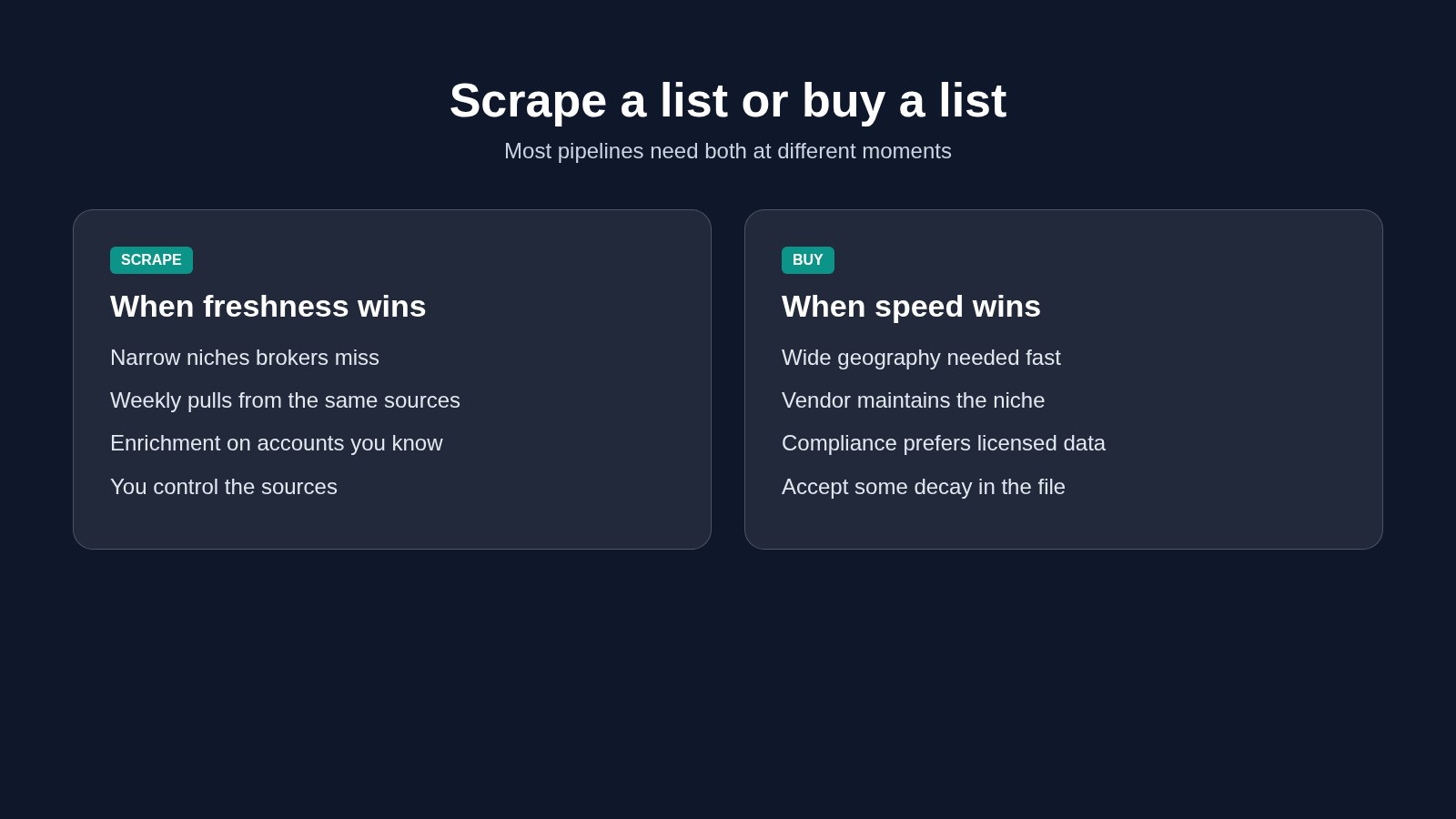
Scrape when
- You need a narrow niche that list brokers don't cover well
- Freshness matters more than volume
- You want to repeat the pull every week from the same sources
- You're enriching accounts you already know, not cold-blasting strangers
Buy a list when
- You need a wide geography fast and can accept some decay
- You don't have time to validate sources
- A reputable vendor already maintains the niche you need
- Your compliance team prefers a licensed data provider
For a hypothetical local HVAC shop, I'd scrape Google Maps style directories and niche contractor lists every Monday. For a nationwide SaaS launch into "VP Marketing at mid-market retailers," I might buy a verified list and only scrape for enrichment.
Scraping is a faucet. Buying is a bottle. Most pipelines need both at different times.
What I checked for each tool
- Can a non-developer run it?
- Does it handle modern JavaScript pages?
- Can you export to CSV, Excel or Sheets?
- Is pricing public?
- Is there a free plan or trial?
- Does it fit lead gen, not only price monitoring?
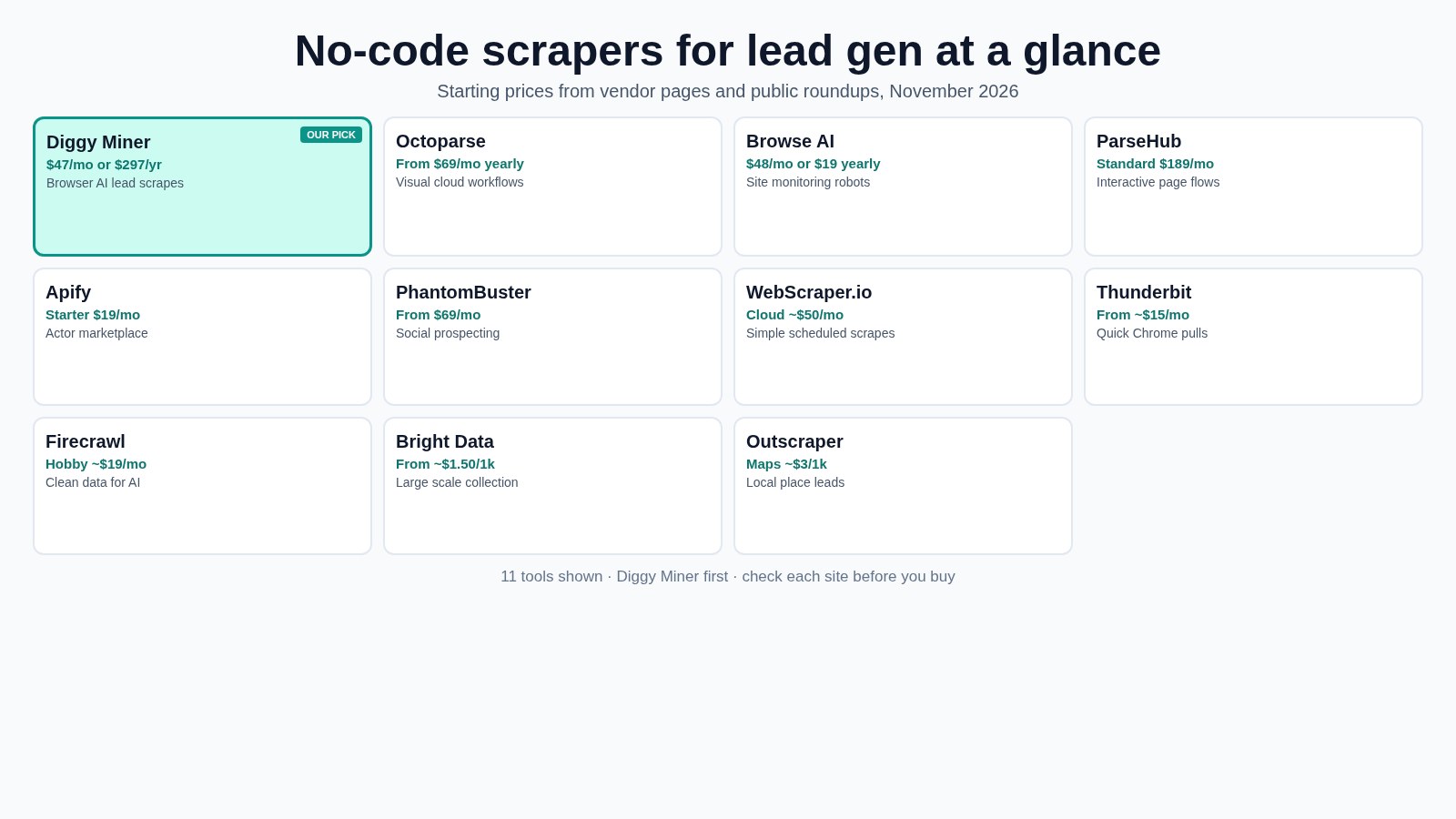
The comparison table
| Tool | Starting price | Best for | Free plan or trial |
|---|---|---|---|
| Diggy Miner | $47/month or $297/year | Browser AI scrapes for leads and niche sites | 30 day refund |
| Octoparse | Standard from $69/month yearly | Visual workflows and templates | Yes, free plan |
| Browse AI | Personal $48/month, or $19/month yearly | Monitoring a small set of sites | Yes, free plan |
| ParseHub | Standard $189/month | Complex interactive pages | Yes, free plan |
| Apify | Starter $19/month plus usage | Ready-made actors and bigger crawls | Yes, free credits |
| PhantomBuster | Start from $69/month | Social and sales automations | Check site |
| WebScraper.io | Cloud from about $50/month | Simple scheduled cloud scrapes | Free browser extension |
| Thunderbit | Starter from about $15/month, or $9 yearly | Quick Chrome extractions | Check site |
| Firecrawl | Hobby from $19/month | Clean page data for AI workflows | Free credits |
| Bright Data | From about $1.50 per 1,000 records | Large scale collection | Free credits, check site |
| Outscraper | Maps from about $3 per 1,000 places | Google Maps style place data | Free tier for small pulls |
Always open the vendor page before you pay. Credit systems and annual discounts change often.
1. Diggy Miner
Diggy Miner is an AI-powered Chrome extension with a web dashboard. You open a page, say what you want, and the AI works out how to pull it. No recipes to maintain for every site.
From the sales page, Diggy Miner can
- Scrape leads, prices, reviews, jobs, maps businesses and more
- Work on dynamic and JavaScript-heavy pages from inside the browser
- Auto-scroll and move through paginated results
- Resume a scrape where you left off
- Export to CSV, JSON and XLSX
- Merge datasets and chat with the results using built-in AI
- Run on Chrome, Edge, Brave and other Chromium browsers
Price on the sales page. Elite is $47/month or $297/year, with welcome credits, daily scrape limits and a self-business use license. There's a 30 day refund and 24/6 chat support. Other Teknikforce products sit at a lower price point, so if Diggy Miner's offer changes, the sales page is the source of truth.
Why I'd pick it for lead gen. Most lead sources I care about are messy niche sites, directories and social pages. Diggy Miner is built to work from the browser on those pages without me writing selectors.
Where it falls short. The Elite plan shown publicly is a self-business license without team seats. Agencies that scrape for clients should ask support about licensing. And like every scraper, it only works where you're allowed to collect the data.
2. Octoparse
Octoparse is a visual scraper with desktop and cloud runs plus a big template library. The free plan covers light local work. Standard starts at $69/month on yearly billing according to Octoparse's pricing page, with higher tiers above that (Octoparse pricing).
Best for. Repeatable workflows you want to schedule in the cloud.
Skip if. You hate configuring steps and just want to describe the fields in plain language.
3. Browse AI
Browse AI records robots in the browser and monitors pages for changes. Personal is $48/month, or $19/month billed annually, with a free plan for a couple of domains (Browse AI pricing).
Best for. Watching a short list of lead sources and getting alerts when new rows appear.
Skip if. You need deep multi-page lead crawls every day. Credits disappear fast on detail pages.
4. ParseHub
ParseHub handles tricky interactive sites with a point-and-click trainer. The free plan is limited. Standard is $189/month on common pricing roundups and ParseHub's own plans, so confirm on their site before you budget.
Best for. Sites with logins, tabs and awkward clicks.
Skip if. Budget is tight. Diggy Miner, Browse AI or Octoparse's lower tiers are gentler on cost.
5. Apify
Apify is a platform of ready-made scrapers called actors, plus compute you pay for as you go. Starter is $19/month with included usage, and there's a free credit allowance (Apify pricing).
Best for. People happy to pick an actor and tolerate a bit of technical setup.
Skip if. You want a pure point-and-click Chrome workflow with no platform jargon.
6. PhantomBuster
PhantomBuster sits closer to sales automation than classic scraping. Many people use it for LinkedIn and other social workflows. Public plans often start around $69/month. Check PhantomBuster pricing for the current Start tier and hour limits.
Best for. Social prospecting sequences that include data extraction.
Skip if. Your sources are plain directories and ecom pages. A general scraper is simpler.
7. WebScraper.io
The Web Scraper browser extension is free for local work. Cloud scheduling starts around $50/month on their cloud pricing. Handy when you already think in sitemaps and selectors.
Best for. Simple structured sites and developers who still want a UI.
Skip if. You need AI to figure out messy layouts for you.
8. Thunderbit
Thunderbit is a Chrome-first AI scraper aimed at fast extractions. Public pricing commonly starts near $15/month, or about $9/month yearly. Confirm on the Thunderbit site, because credit packs change.
Best for. Quick one-off lead pulls while you browse.
Skip if. You need heavy scheduling and long-running cloud jobs.
9. Firecrawl
Firecrawl turns pages into clean structured data or markdown, which teams often feed into AI tools. Hobby plans often start near $19/month, with free credits to try (Firecrawl).
Best for. Cleaning web content for research and AI pipelines.
Skip if. Your only goal is a classic business lead CSV with phones and emails.
10. Bright Data
Bright Data is infrastructure more than a beginner no-code app. Scraper APIs and datasets are often priced around $1.50 per 1,000 records, with larger packages above that. Check their site for current offers.
Best for. Teams that need scale, proxies and managed collection.
Skip if. You're a solo marketer who just wants a Chrome extension.
11. Outscraper
Outscraper is popular for Google Maps style place data and related enrichments. Maps pricing is often quoted around $3 per 1,000 places after a small free allowance. Good when local business leads are the whole job.
Best for. Local lead gen from maps and place listings.
Skip if. Your niche lives on forums, directories or custom industry sites Diggy Miner can open in a browser.
A practical lead-gen workflow I like
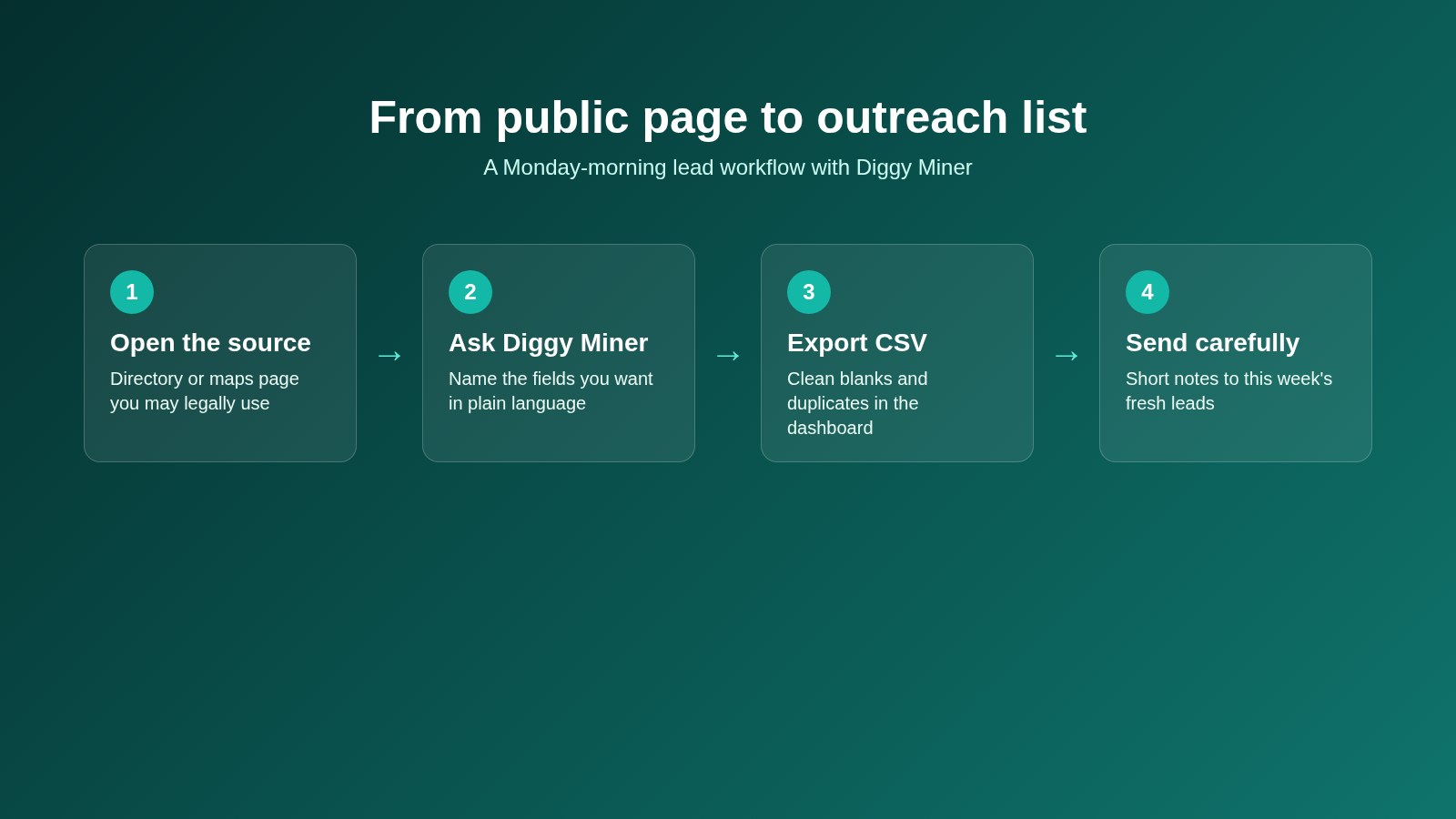
Here's a workflow a solo agency owner could run on Monday mornings without writing code.
- Pick three public sources you have rights to use. A niche directory, a maps search, and an industry association member list.
- In Diggy Miner, scrape business name, website, public email and city.
- Export to CSV and remove blanks and duplicates.
- Upload into your CRM or outreach tool.
- Send a short, specific first message. No blast to 10,000 strangers.
- Next week, scrape only the new page of results instead of starting over.
That rhythm beats a giant annual list purchase that goes stale by spring.
A few common questions
Is no-code web scraping legal?
It depends on what you collect and how you use it. Public data is not automatically fair game. Read the site's terms, respect robots rules where they apply, avoid personal data you have no right to process, and follow laws like GDPR when they apply. When in doubt, ask a lawyer who knows your market.
Do I need coding skills for these tools?
Not for Diggy Miner, Browse AI, Octoparse, Thunderbit or WebScraper's simpler flows. Apify and Bright Data reward more technical comfort.
Can scrapers get emails that aren't published on the page?
They shouldn't invent contact details. If an email isn't on the page or in a public field you're allowed to collect, it isn't yours to fabricate. Use enrichment tools separately and stay inside the rules.
How is this different from your other Diggy Miner posts?
The beginner AI scraper roundup compares tools broadly. The Diggy how-to shows the product workflow. This post is the lead-generation shortlist, with scrape-versus-buy advice and November 2026 pricing.
What if Diggy Miner's price looks different on the sales page later?
Use the sales page. I listed $47/month and $297/year as shown there while writing this. Offers change.
Ready to build a fresher lead list?
If you're tired of stale CSVs, start with a source you already trust and pull this week's leads yourself. Get Diggy Miner on the Elite monthly or yearly plan, install the Chrome extension, and export your first list the same afternoon. There's a 30 day refund if it isn't the right fit.
And if you want the product walkthrough first, read How to Scrape Leads From Any Website Without Code before you buy.